 Battle
Elements
 Fire
Fire Water
Water Ice
Ice Plant
Plant Wind
Wind Electricity
 Earth
Earth Steel
Steel Light
Light Dark
Dark Null
NullAttributes
 Vaccine
 Data
Data Virus
Virus Free
Free Variable
 Unknown
 No Data
How it works
Attack (Battle Command)
A battle command. Press to command your Digimon to perform a non-elemental attack on their turn.
You can also change targets with to attack allies as well. Although somewhat unusual, this tactic can be used to remove certain status abnormalities, making it useful in some situations.
Skill (Battle Command)
A battle command. Press to command your Digimon to perform a Special Skill or Attachment Skill on their turn. Using a skill consumes SP (Skill Points).
Remember to keep in mind the associated element as well as timing when using skills.
Item (Battle Command)
A battle command. Press to support your Digimon with the use of an item on your Digimon's turn.
Digimon do not lose their turn even if you use an item. The Digimon will still be able to carry out another command.
Keep items ready at all times so that your partner Digimon can fight at full strength whenever necessary.
Change (Battle Command)
A battle command. Press to change the current Digimon out for a Reserve Member on their turn. You can swap members as many times as you like during a turn.
There appear to be certain Digimon who can transform with a special "Change" command. Using this command effectively can have a large impact on the battle, making it an important part of any strategy.
View Ally Info (Battle Command)
A battle command. During command selection, press to view information of a partner Digimon on their turn.
It is a good idea to understand your Digimon's info so that you can know their compatibilities with the enemy.
Guard (Battle Command)
A battle command. Hold to command your partner Digimon to guard on their turn. Guarding greatly reduces damage until their next turn.
Guarding is effective when you can't avoid attacks from an enemy with unfavorable compatibility or powerful Special Skills.
Escape (Battle Command)
Hold in battle to flee from hostile Digimon. There is no shame for an agent to exercise discretion in the course of a mission.
However, fleeing constantly will gain you nothing. And there may be enemies that you can't escape from. That is why it is also important to gain experience for such occasions.
Balance your decisions carefully.
Analyze (Battle Command)
A battle command that allows you to view enemy Digimon's stats.
Information such as Attribute, Element and Traits should provide hints for determining favorable or unfavorable compatibility.
Put Analyze to good use when planning your battle strategies.
Physical & Magic Attacks
There are two types of attacks: "physical" and "magic".
Physical attacks are effective against foes with low DEF. For enemies with low SPI, you'll want to use magic attacks.
Some Digimon are resistant to both physical and magic attacks. Be sure to check your foes' characteristics as you fight. : Reduces physical damage.
  : Reduces magic damage.
Compatibility & Damage Calculation
Damage is calculated based on Attribute compatibility (the compatibility matrix of Vaccine > Virus > Data) as well as Elemental Resistances, Traits, and the attacker's level.
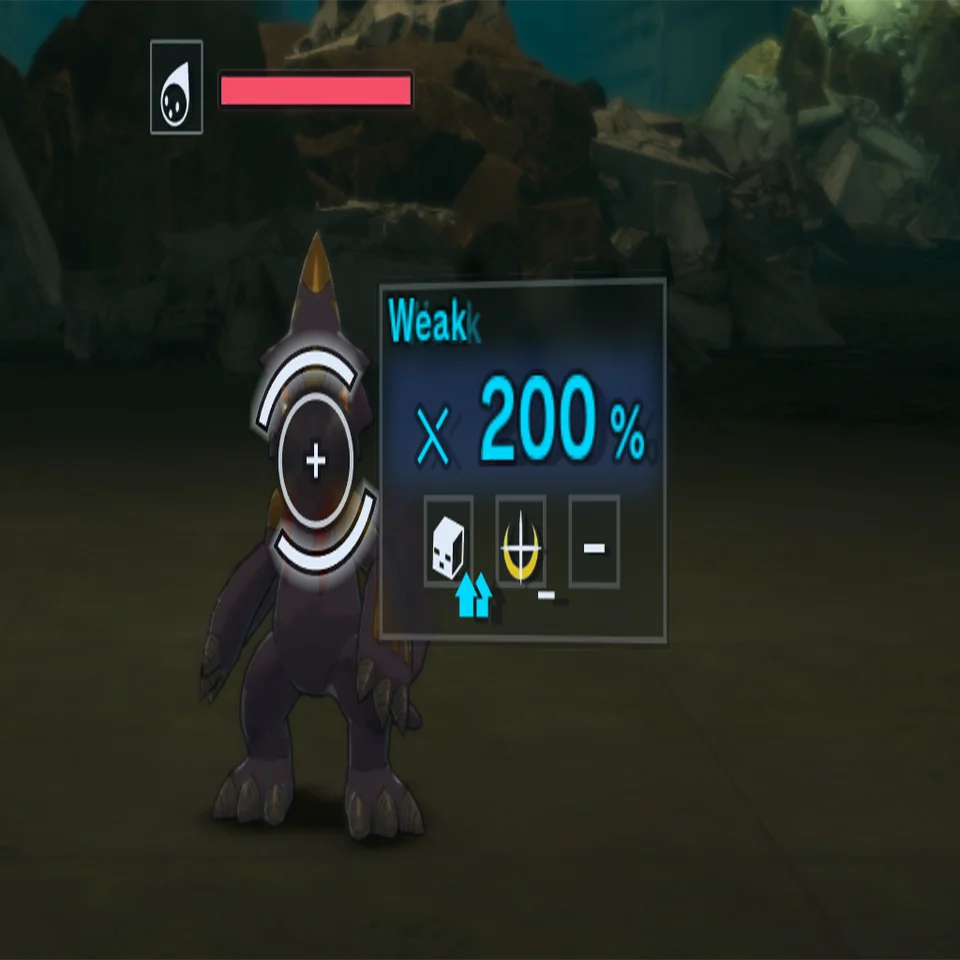
Attack compatibility can be confirmed during target selection, where damage output in % will be displayed along with corresponding arrow icons to indicate effects based on Attributes, Elements, and Traits.
You can also view an enemy's compatibility details via Analyze.
When facing enemies with unfavorable compatibility, consider switching to Digimon with favorable compatibility.
Damage output also varies depending on the level. The higher the attacker's level, the greater the damage inflicted.
Detailed information on Attributes, Elements, and Traits can be found via Digivice > System > Tutorials > Battle, under:
- Attribute Compatibility - Elements - Traits
Weak Point Attacks
When an attack has favorable compatibility, it will strike the enemy's "weak point." Compatibility is determined via Attributes, Elements, and Traits.
Additionally, other effects such as from a Digimon's Personality Skill can also have a large influence on attack compatibility.
There are hints in a Digimon's stats and other details for finding compatibilities and weak points, so be sure to use Analyze Mode to find them.
Extra Strikes
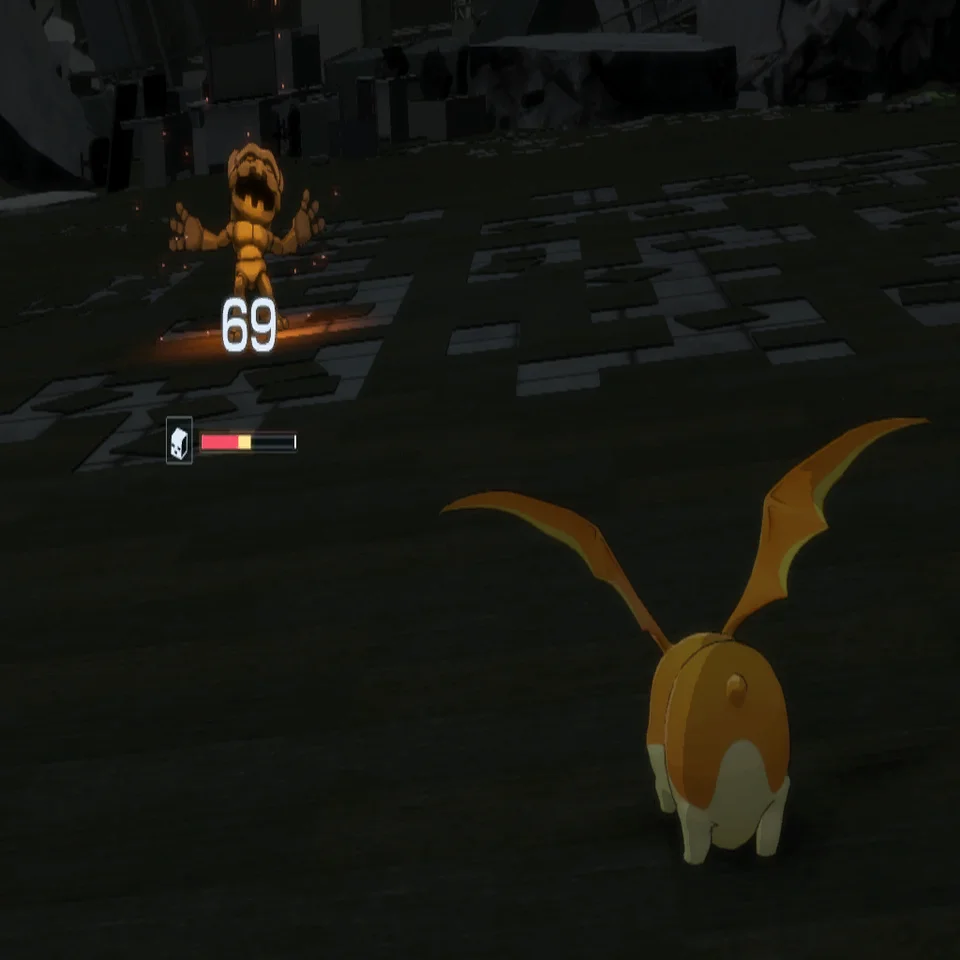
Attacking and using Skills against the enemy sometimes results in a chance for a follow-up attack. Press to trigger Extra Strikes.
High Bond and attack favorability increase its probability rate.
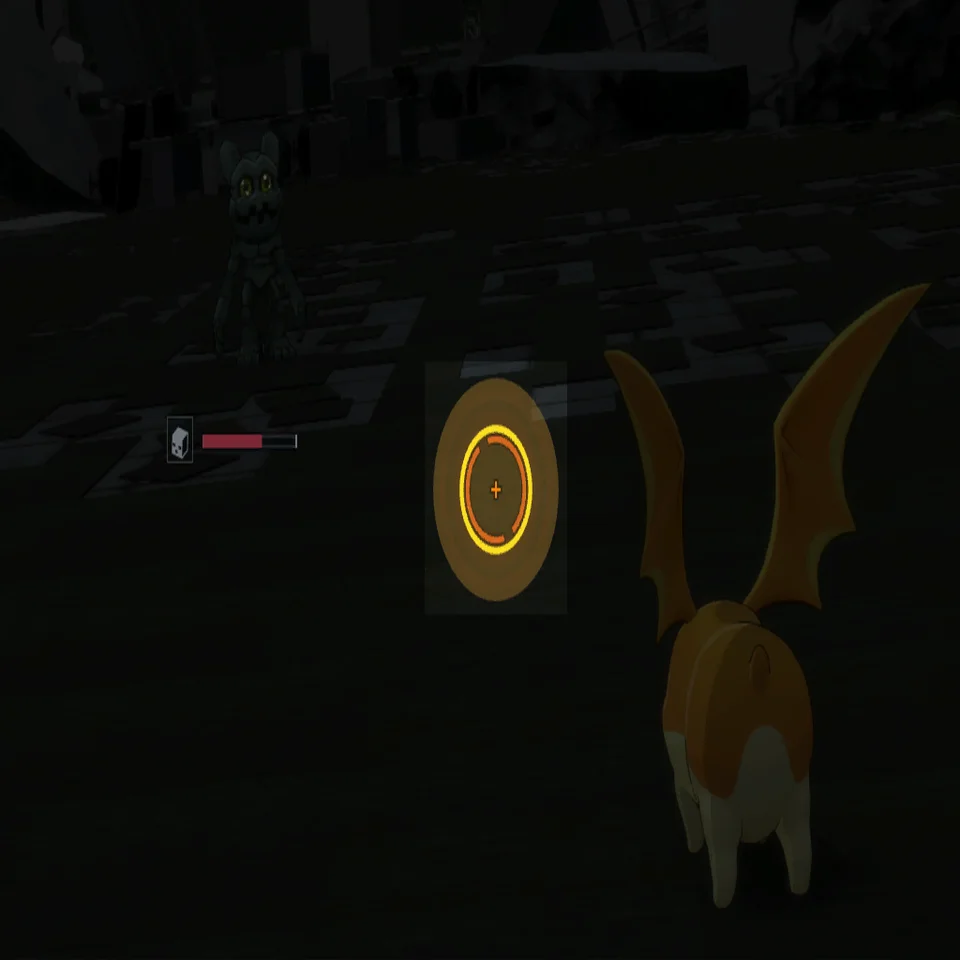
When Extra Strikes triggers, a circle will appear on the HUD.
Press when the circle reaches the center to cause a "Strike Effect."
Strike Effects have a variety of additional effects such as healing allies or inflicting status abnormalities on enemies.
The effects vary depending on Digimon attribute and Personality. Try out different combinations to use in battle.
Turn Order
Turn Order during battle is determined by each Digimon's SPD stat. Turn Order is recalculated when SPD changes for any Digimon.
Using skills and items to alter the SPD of your allies and enemies in order to manipulate the Turn Order is a key battle strategy.
Special Skills
These are a Digimon's unique set of skills, capable of dealing large amounts of damage or triggering certain effects.
Some Digimon even have a Special Skill that lets them initiate a Mode Change.
Getting a grasp on these Special Skills is key to unlocking each Digimon's potential in battle.
DNA Digivolution Skills
These are powerful skills used between specific Digimon. DNA Digivolution Skills appear in eligible Digimon's skill selection menus in battle.
These skills will only become available once you have met the necessary conditions:
- Both DNA Digivolution-capable Digimon are battle members; and - Both DNA Digivolution-capable Digimon can act on their turn.
It is an Agent's duty to find Digimon that can combine for DNA Digivolution Skills.
Cross Arts

A battle action which can be employed by agents.
By consuming a massive amount of energy, the agent can unleash powerful Cross Arts capable of changing the course of battle.

When CP (Critical Points) charge to max during battle, you will enter a "Cross Art Standby" state. Press to pull the trigger and fire off the Cross Art.
Unlocking & Changing Cross Arts
You can use "Agent Skill: Bonds of Loyalty" to learn Cross Art effects.
Change between the Cross Art effects you have learned by going to: Agent > Cross Art Settings on your Digivice.
It's a good idea to select your Cross Art effects based on your agent's battle strategy.
Critical Points (CP)

In order to use Cross Arts, you must charge your CP (Critical Points) to the max.
When charged to the max, you will enter a "Cross Art Standby" state.
Gaining CP
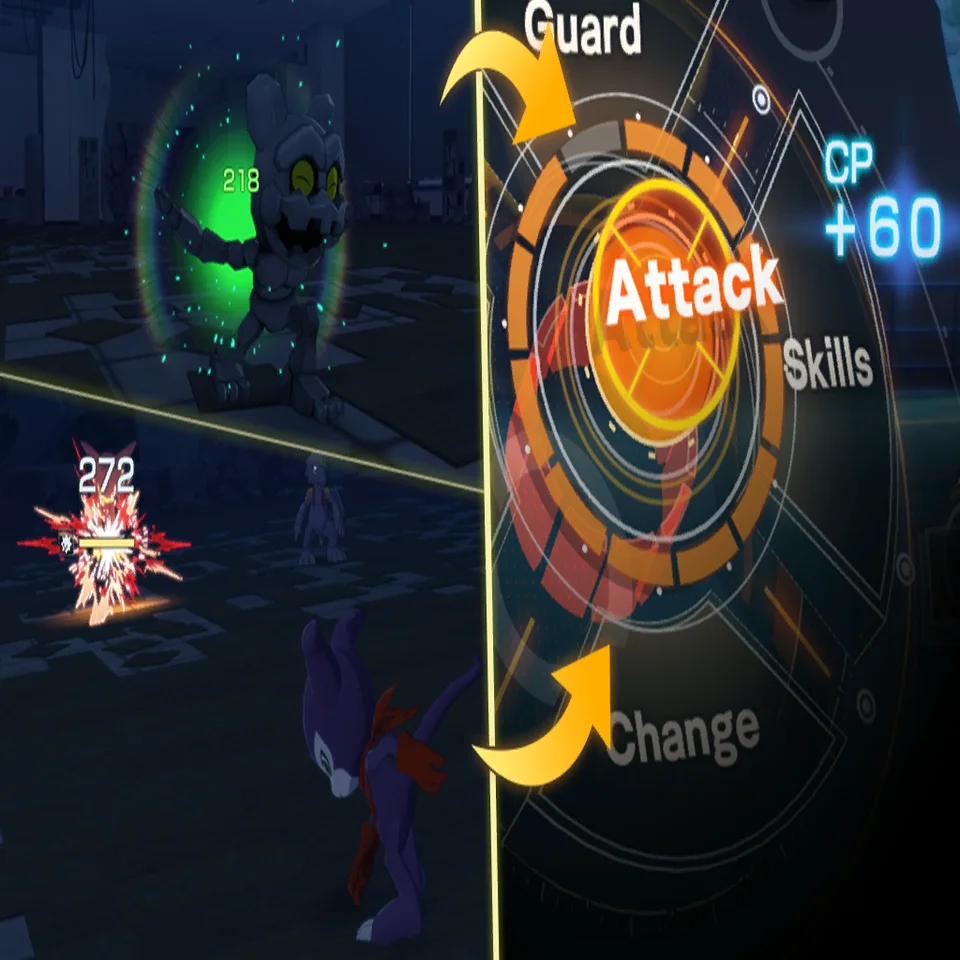
CP (Critical Points) increase when you perform actions in battle, such as attack or heal.
The best way to earn CP is to strike an enemy's weak point.
Selecting your Digimon and skills with compatibilities between Attributes and Elements in mind will make it easier to charge CP.
Any CP you have charged will carry over to the next battle.
Enemy CP
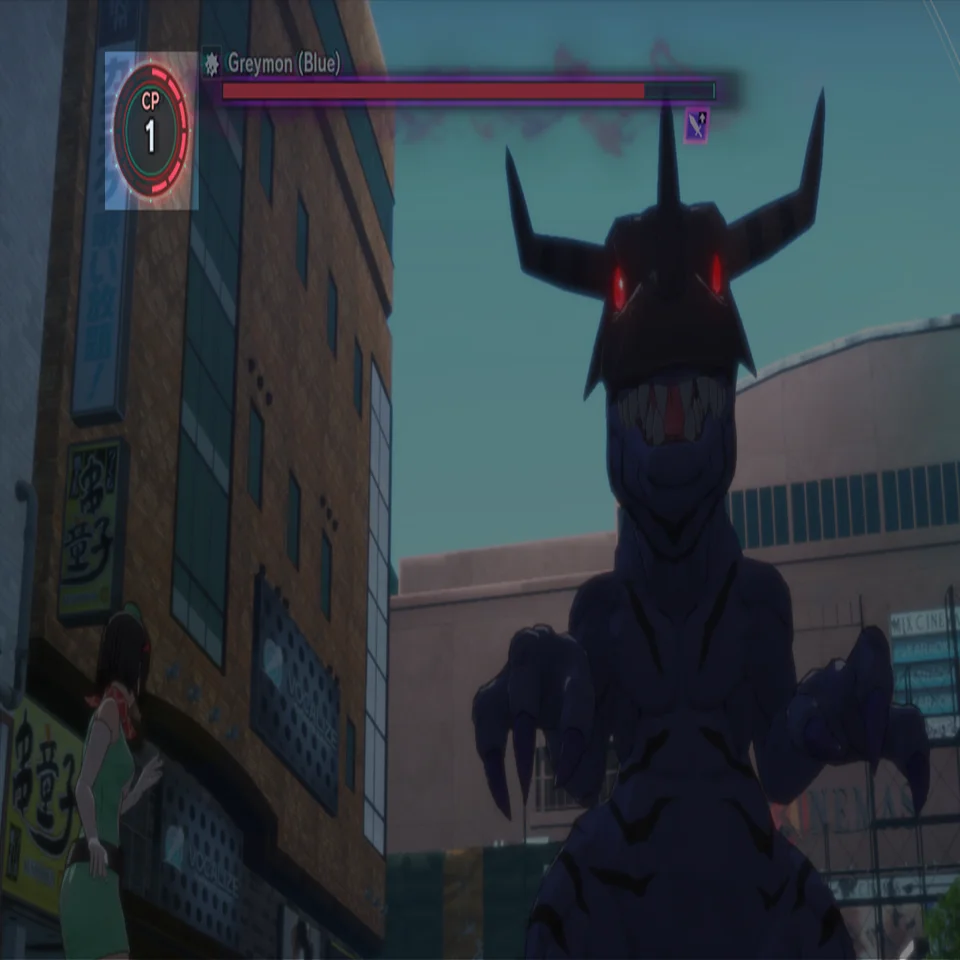
As some powerful foes gain CP, their abilities may change. - Additional actions (added at the end of the turn order).
- Stat buffs. And more.
Charging (Enemy Status Change)
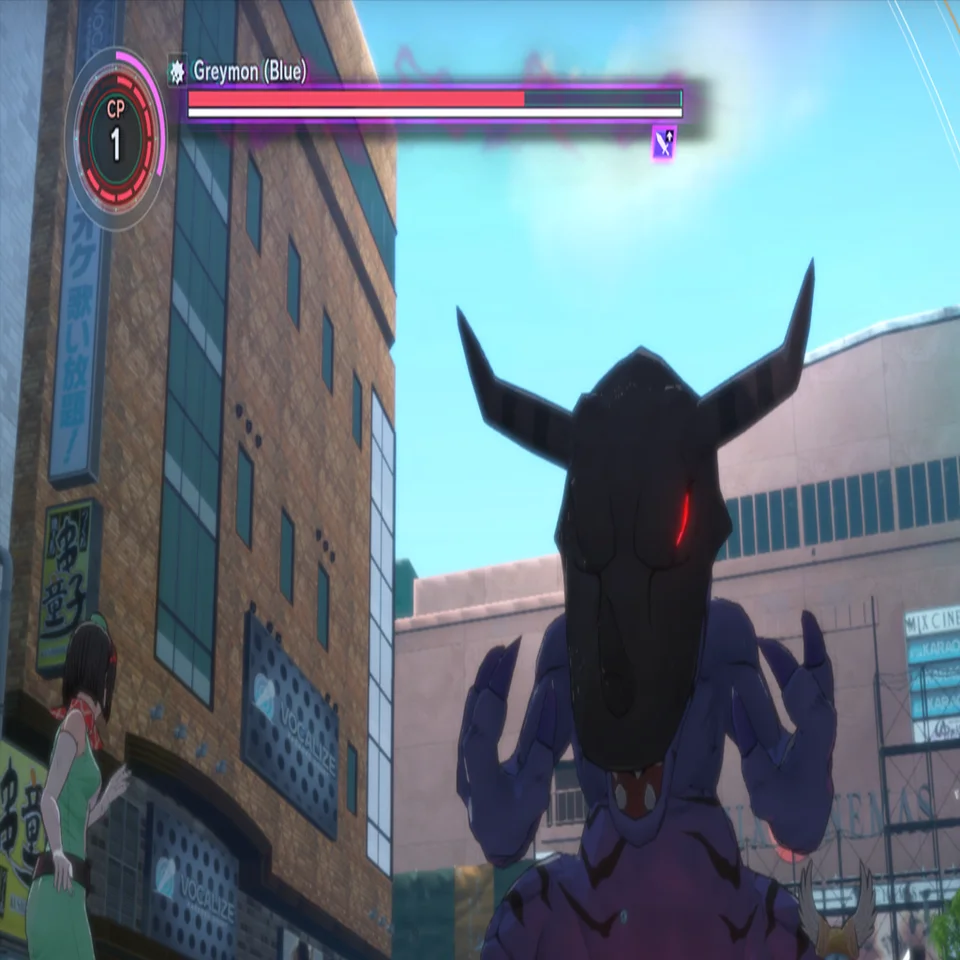
Once done charging, the enemy will unleash a Special Skill. When an enemy enters a charging state, it won't act because it is "building up power," but it will be enhanced as it continues to accumulate CP.
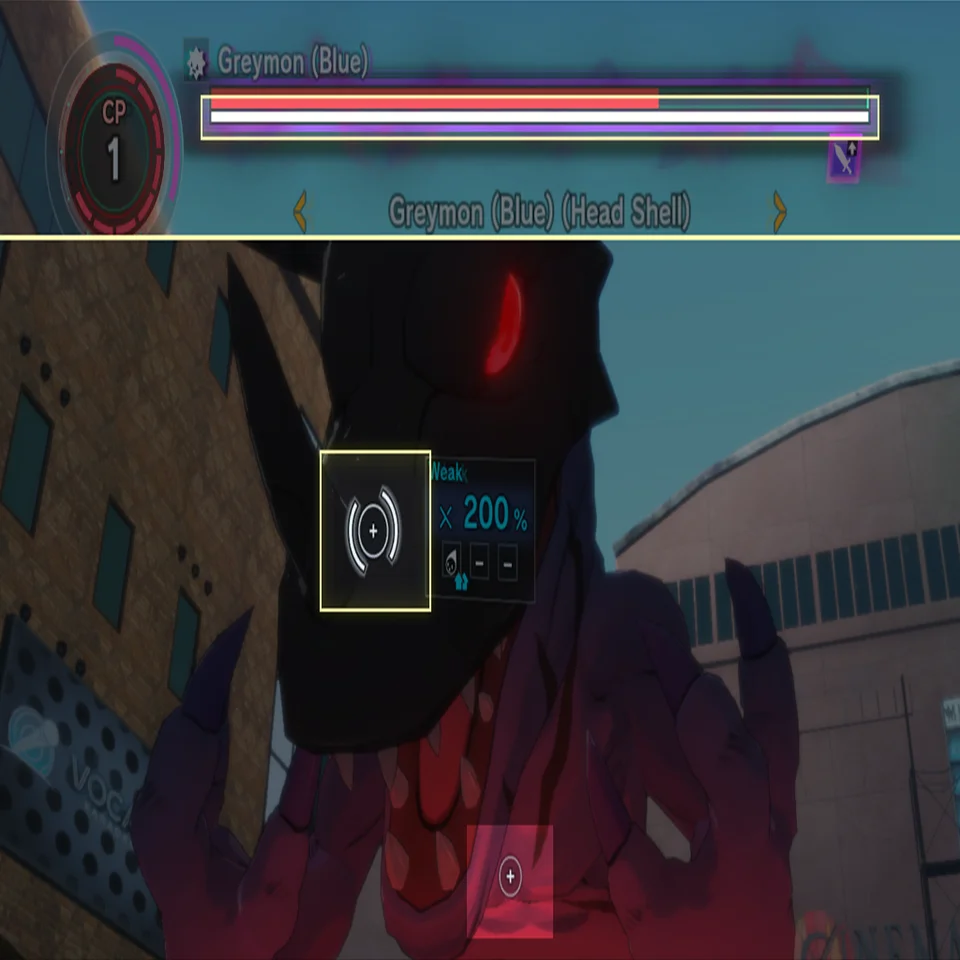
As the enemy is charging, a "breaking point" gauge will appear as a white bar below the HP Gauge of the enemy. With a concentrated assault, it's possible to deplete this gauge and stop the enemy's charge. This is called a "charge break."
A successful charge break will:
- Reset enemy CP (and corresponding enhancements).
- Remove Strong status and its buff effects (which otherwise cannot be canceled).
- Cancel release of the enemy's Special Skill.
There is always a chance to counterattack. If you are unable to successfully perform a charge break in time, use Guarding and items to withstand the enemy's onslaught.
KO
This occurs when HP reaches zero. Digimon that have been KO'd are incapable of combat, so you must attend to them as soon as possible.
- Use a revival item/skill to revive the ally.
- Replace the KO'd ally with a reserved member.
KO'd Digimon are revived after the battle with only 1 HP, so remember to heal them before proceeding.
Reaper's Mist (Reduces Max HP)
An anomaly has occurred due to ZombiePlutomon's rampaging power. This terrifying effect is called "Reaper's Mist."
- Recovering HP instead reduces Max HP. (HP recovery is not possible.)
- Max HP cannot be increased once reduced. (This returns to normal after battle.)
- This effect cannot be removed during battle.
This makes it easy to get KO'd, but with clever application of your wits and strengths as an agent, you should be able to overcome the odds.
Encounters
Make contact with a hostile Digimon, and you will enter battle.
While it can be harsh and unforgiving, the experience obtained in battle is essential. From helping develop your partner Digimon, to increasing Scan Rates for Digimon Conversion, battle is key to overcoming the challenges that await you on your mission.
Actively engage in battles and grow strong, Agent.
Enemy Preemptive Strikes
When an enemy spots and triggers an encounter, a battle will begin with a preemptive strike from the enemy.
If you can't avoid an encounter, it's recommended that you attack first with a DigiAttack.
Surprise Encounters
It seems you've just experienced a "surprise encounter." It's rumored that upon such an encounter, a certain Digimon will unexpectedly appear and join the battle.
Defeat this Digimon and it will drop rare items, but it's apparently pretty quick to retreat. I'm sure it's only a matter of time before an agent uncovers the truth.

Digimon Who Have Appeared during Surprise Encounters #1

Digimon Who Have Appeared during Surprise Encounters #2
Digimon Who Have Appeared during Surprise Encounters #3
Digimon Who Have Appeared during Surprise Encounters #4